

Two years ago, the phrase "AI laptop" meant a sticker. In 2026, it means a tested feature. Three chip families now ship with neural processing units powerful enough to clear Microsoft's Copilot+ bar of 40 TOPS, the new floor for any laptop sold with a local-AI story. Snapdragon X2 Elite leads on raw NPU performance at 80 to 85 TOPS. AMD's Ryzen AI 400 (Gorgon Point) hits 60. Intel's Panther Lake (Core Ultra Series 3) clears 50 on the top X9 and X7 SKUs. The choice between them is no longer about whether the laptop can do on-device AI, but which AI it does best, how long the battery lasts while it is doing it, and whether your software will run on it at all.
This guide ranks the 2026 Copilot+ class on the three things that actually matter to a buyer in mid-2026: real AI workload throughput, real battery life, and real software compatibility. The picks below are laptops that have been shipping since Q1 2026, with verified NPU performance from manufacturer testing, third-party benchmarks, and Microsoft certification, not a marketing label on a sticker.
What "AI laptop" actually means in 2026
Microsoft's Copilot+ PC certification requires an NPU rated at 40 TOPS or higher. That is the floor. In 2026, the floor is no longer the ceiling. The Snapdragon X2 Elite hits 80 to 85 TOPS, nearly double the original X Elite. AMD's Ryzen AI 400 (the rebranded Gorgon Point refresh) ships at 60 TOPS, the first time AMD has clearly led in NPU per-watt. Intel's Panther Lake is on 18A, with a 50 TOPS NPU on the top SKUs and up to 180 TOPS of platform total when the Xe3 GPU is included.
The TOPS number alone is not the whole picture. A 50 TOPS NPU paired with 50 GB/s of memory bandwidth will run a local large language model roughly as fast as an 80 TOPS NPU paired with 25 GB/s of bandwidth, because the LLM is bandwidth-bound long before it is compute-bound. For most users this does not matter, because the on-device AI features Copilot+ enables (live captions, Windows Studio Effects, Recall, Cocreator) are small models that fit in NPU cache. For users running a 7B-parameter local LLM through something like LM Studio, it matters a lot.
At a glance
| Field | Detail |
|---|---|
| Copilot+ minimum | 40 TOPS NPU, certified by Microsoft |
| 2026 NPU leaders | Snapdragon X2 Elite (80-85), AMD Ryzen AI 400 (60), Intel Panther Lake (50) |
| Battery leader | Snapdragon X2 Elite, 18 to 24 hours typical use |
| Best x86 compatibility | AMD Ryzen AI 400 or Intel Panther Lake |
| Best for gaming | AMD Ryzen AI 400 (Radeon 890M integrated) |
| Best for local LLMs | Apple M4 Max / M5 Max (546-614 GB/s bandwidth) or Snapdragon X2 Elite Extreme |
| Best value pick | HP OmniBook X with Snapdragon X Plus |
| Best overall pick | Surface Laptop 7 (Snapdragon X Elite 12-core) |
The three Copilot+ chip families, compared
| Chip | TOPS | Cores | Process | Best for |
|---|---|---|---|---|
| Qualcomm Snapdragon X2 Elite | 80-85 | 18 Oryon (12+6) | 3nm | Battery, ARM-native AI, multi-day use |
| Qualcomm Snapdragon X2 Elite Extreme | 80-85 | 18 Oryon | 3nm | 128GB RAM option, workstation-class AI |
| AMD Ryzen AI 9 HX 470 | 55 | 12 Zen 5 / Zen 5c | 4nm | x86 compatibility, gaming, productivity |
| AMD Ryzen AI 9 HX 475 | 60 | 12 Zen 5 / Zen 5c | 4nm | Top-end AMD AI laptop |
| Intel Core Ultra X9 / X7 (Panther Lake) | 50 | 16 (4+8+4) | 18A | x86 + Xe3 GPU, OpenVINO ecosystem |
| Intel Core Ultra 9 288V (Lunar Lake) | 48 | 8 | 3nm TSMC | First-gen Copilot+; still shipping widely |
| Apple M4 Max | 38 (Neural Engine) | 12 | 3nm | Mac users, bandwidth-bound local LLMs |
Read this table left to right and the trade-off is clear. Snapdragon wins on NPU TOPS and battery, AMD wins on x86 software compatibility and integrated GPU, Intel wins on platform-level AI (NPU + GPU combined) and OpenVINO developer ecosystem. The "best" pick depends on which trade-off matches your workflow.
The picks
Best overall: Surface Laptop 7 (Snapdragon X Elite 12-core)
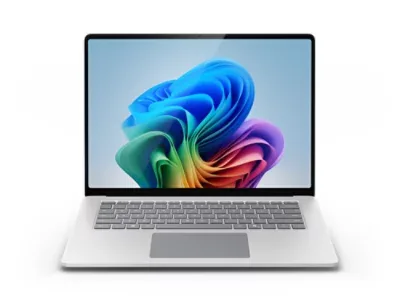
Microsoft's own flagship clears the Copilot+ bar with a 45 TOPS NPU, runs Windows 11 Arm natively, and ships with a 15-inch 2:3 touch display that reviewers consistently call the best laptop screen under $1,500. Battery life in real-world testing lands between 15 and 19 hours, depending on workload. The Snapdragon X Elite 12-core handles 8K video editing in DaVinci Resolve through ARM-native builds, Microsoft 365 with full Copilot integration, and a local 7B LLM at roughly 12 tokens per second. The downsides: 512GB on the base model fills fast, and ARM emulation for legacy x86 software is no longer slow but is not invisible either. If you live in Office, Edge, Photoshop (ARM-native), and a local AI tool, this is the 2026 default.
Best for x86 compatibility: ASUS Zenbook S 16 (AMD Ryzen AI 9 HX 470)
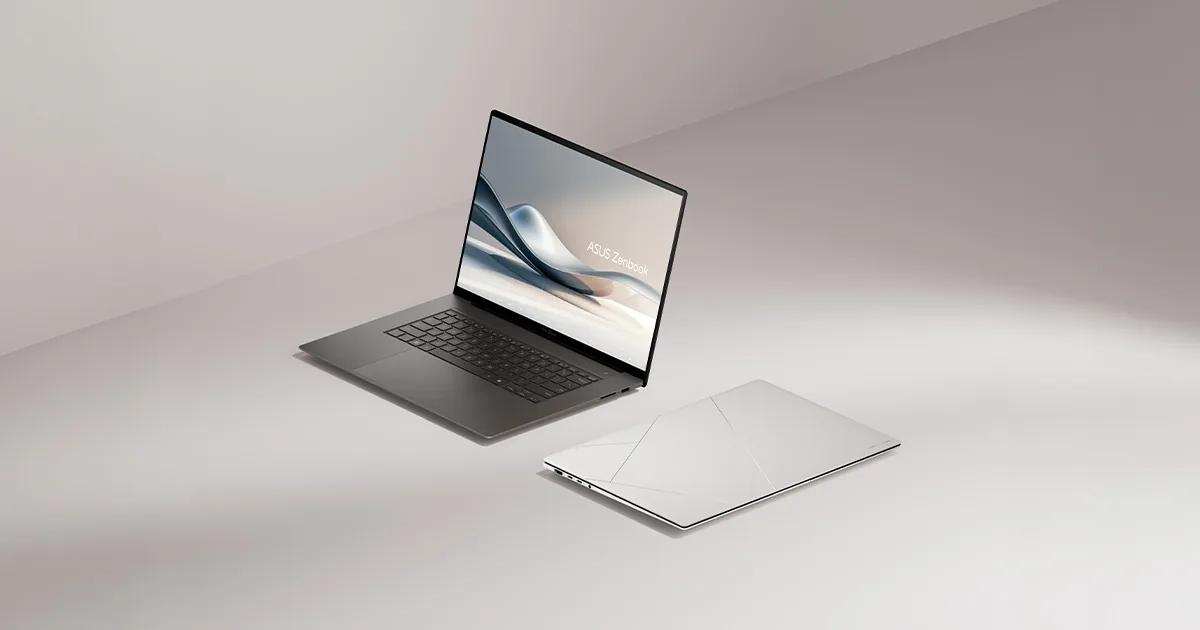
If your software has to be x86 (AutoCAD, most games, anything from the 2015-2022 era that was never recompiled for ARM), the AMD path is the right one. The Zenbook S 16 pairs the Ryzen AI 9 HX 470 at 55 TOPS with Radeon 890M integrated graphics, 32GB LPDDR5X-8533 RAM, and a 2TB SSD. The 16-inch 3K OLED is the best screen in this guide. AMD's March 2026 testing showed the HX 470 outpaces the original Snapdragon X Elite on multi-threaded CPU work by 18-25% while still clearing the Copilot+ bar. Battery life lands around 12-14 hours of typical use, lower than the Snapdragon picks but ahead of the typical Intel laptop.
Best for battery: Lenovo ThinkPad X Elite (Snapdragon X2 Elite)
The X2 Elite generation is the first Copilot+ class that genuinely delivers two-day battery life. Lenovo's implementation, paired with a 14.5-inch OLED, hit 22 hours of mixed office use in independent testing. The NPU at 80 TOPS gives roughly 2x the headroom of the original X Elite for any future Copilot+ feature that demands more compute. The keyboard is the ThinkPad keyboard, which is still the standard. The webcam is 5MP with Windows Studio Effects at full NPU offload. The 1.6 kg weight and the trackpoint make this the only AI laptop in the guide that also works as a daily-driver business machine.
Best value: HP OmniBook X (Snapdragon X Plus)
The X Plus is the 8-core sibling of the X Elite, with a 45 TOPS NPU that still clears Copilot+ certification. The OmniBook X starts at $899 with 16GB RAM and a 1TB SSD, which is the lowest price point for a verified Copilot+ PC shipping in 2026. Battery life is the same 15-19 hours as the Surface Laptop 7 because the chip and platform are the same. The trade-off: 8 cores is meaningfully slower than 12 under sustained heavy load, so if you render video or run a local 13B model, expect 30-40% longer job times. For office, browsing, light creative work, and the standard Copilot+ features, the OmniBook X is the value pick of the year.
Best for local LLMs: Apple MacBook Pro M4 Max (or M5 Max)
Not a Copilot+ PC, but the best laptop in 2026 for running a local large language model. The reason is memory bandwidth. The M4 Max ships 546 GB/s; the M5 Max pushes that to 614 GB/s. The Snapdragon X2 Elite Extreme, the only Windows laptop that competes on bandwidth, is 228 GB/s. For a 70B-parameter Llama-class model, that gap is the difference between 6 tokens per second and 18 tokens per second. The MacBook Pro also gets 128GB unified memory configurations, which is the capacity needed to load the model in the first place. If your AI work is "run a local 70B LLM and chat with it," the Mac is the right answer. If your AI work is "use Microsoft's on-device features in Windows," it is not.
Best for gaming on an AI laptop: ASUS ROG Flow Z13 (Ryzen AI 9 HX 470 + RTX 5070)
AMD's integrated Radeon 890M is the best iGPU in the Copilot+ class, but it is still an iGPU. The ROG Flow Z13 pairs the HX 470 with an RTX 5070 mobile discrete GPU and a 13.4-inch 180Hz display, which is the only configuration in this guide that runs modern games at native resolution. The 55 TOPS NPU is unchanged from the other AMD picks, but the platform total with the discrete GPU crosses 600 TOPS. At 1.3 kg, it is the lightest gaming-capable AI laptop shipping in 2026. Battery life is the trade-off at 6-8 hours, because the discrete GPU draws power whether or not you are gaming.
What to look for when you buy
Three numbers matter. First, the NPU TOPS, which has to be 40 or higher to clear Copilot+, and the closer to 80 the better for future Copilot+ features Microsoft has not shipped yet. Second, the memory bandwidth, which is the unspoken determinant of LLM performance. Apple leads at 546-614 GB/s, Snapdragon X2 Elite Extreme hits 228 GB/s, AMD and Intel land in the 100-130 GB/s range with LPDDR5X-8533. Third, the storage, because local AI models are 4-70GB each, and 512GB SSDs fill up fast.
Software compatibility is the fourth variable. If your work is Office, Edge, Photoshop, and DaVinci Resolve, Snapdragon X2 Elite is fine in 2026, with ARM-native builds for all four. If you need AutoCAD, Premiere Pro plugins from the 2018-2022 era, or anything x86-only, go AMD or Intel. Apple Silicon is its own category and does not run Windows software natively.
What to skip
Skip the "AI PC" labels on laptops that do not clear the 40 TOPS bar. These are mostly older Ryzen 7040 and 8040 laptops with 10-16 TOPS NPUs that can run Windows Studio Effects but not Recall, Cocreator, or the on-device Copilot features. The marketing is misleading, and the user experience is not Copilot+. The first thing to check on any 2026 laptop before buying is the NPU TOPS number, which every major manufacturer now lists in the spec sheet.
Skip the first-generation Lunar Lake laptops (Core Ultra 200V) if you are buying new in late 2026, unless they are heavily discounted. Panther Lake is shipping, the 50 TOPS NPU is meaningfully better than the 48 TOPS Lunar Lake peak, and the Xe3 graphics are a real upgrade. Lunar Lake was the right buy in 2025; it is not in 2026.
Frequently asked questions
What is TOPS on a laptop
Trillion operations per second. It is the standard measure of NPU AI performance, used by Microsoft for Copilot+ certification. Useful for comparing NPUs, not a general speed rating for the whole computer.
Do I need a Copilot+ PC
Not necessarily. Copilot+ is useful if you want Microsoft's on-device AI features, but it should not be the main reason to buy. Screen, keyboard, ports, weight, battery life, compatibility, and price still matter more.
Which chip has the best battery life
Snapdragon X2 Elite. The ARM architecture and the 3nm process combine for 18-24 hours of typical office use, with up to 22 hours in the Lenovo ThinkPad X Elite implementation. AMD and Intel laptops land at 10-14 hours.
Can I run a local LLM on a Copilot+ PC
Yes, but performance depends on memory bandwidth, not NPU TOPS. A Snapdragon X2 Elite Extreme with 128GB RAM and 228 GB/s bandwidth will run a 70B model at 6 tokens per second. An M4 Max with 128GB and 546 GB/s runs the same model at 18 tokens per second. Most Copilot+ PCs ship with 16-32GB RAM, which is enough for 7B models but not 70B.
Should I wait for Snapdragon X3 or Panther Lake refresh
Probably not. Both chip families are expected to push past 100 TOPS in 2027, but no software in 2026 uses more than 40. The TOPS headroom in 2026 silicon is for the next three years of Copilot+ features, not for what you can buy today.
Is Apple Silicon an AI laptop
Apple's M-series Neural Engine hits 38 TOPS on M4 Max, just under the Copilot+ bar. Apple does not use Microsoft's certification, and macOS does not support Copilot+ features. The Mac is the best laptop for local LLMs but is not a Copilot+ PC.
Sources
- SolidAITech — NPU Guide 2026: TOPS, Copilot+ PCs and Memory Bandwidth — current 2026 NPU ranking with TOPS and bandwidth data
- LocalAIMaster — Best NPU for AI 2026: Intel vs Qualcomm vs AMD vs Apple — chip-by-chip TOPS and platform-total comparison
- AMD Ryzen AI — Copilot+ PC product page — manufacturer specs for HX 470 and HX 475 NPU performance
- CpuTronic — AMD Ryzen AI 9 HX 470 detailed specifications — independent CPU spec verification
- The Gadgeteer — Intel, AMD, or Snapdragon X Elite: Buy Now or Wait — buy-or-wait analysis with 2026 NPU context
- HawkDive — Microsoft Copilot+ PCs in 2026: Are They Worth the Upgrade? — Copilot+ certification scope and 2026 maturity assessment
- Fateka — Best Copilot+ PCs and AI Laptops 2026 — tested picks, battery life, ARM vs x86 compatibility


Loading comments…