I was hunting for an old live acoustic recording late one Tuesday night when my web browser hit a dead end. I had clicked an expired link from an internet forum discussion. On almost any other website in the world, hitting a broken web address is annoying. You get a cold white screen with plain black text that says HTTP 404 Not Found.
Instead, when my browser loaded the Apple Music error page, I stopped in my tracks. Sitting right in the middle of my screen was not an error message at all. It was a crisp, fully working digital replica of the original first generation iPod from 2001. A friendly note beside it read: Page Not Found. Give this a spin instead.

I hovered my mouse over the iconic white scroll wheel and clicked down. To my absolute delight, the virtual wheel spun with natural momentum, and a familiar mechanical clicking sound poured through my desktop speakers. It was the exact acoustic click I remembered from twenty five years ago. I spent the next two hours scrolling through playlists, listening to classic tracks from 2001, and uncovering a secret retro arcade game buried inside the menus.
This is not just a clever design gimmick. It is one of the most thoughtful, lovingly crafted technology tributes Apple has ever released. In this guide, I will walk you through the history behind this 25th anniversary Easter egg, how Apple web engineers brought it to life, what songs are hidden in its catalog, and the exact button trick to unlock the secret Brick game on your computer or phone.
The 25th Anniversary Story Behind the 404 iPod
To understand why this virtual player exists, we have to travel back to October 23, 2001. Steve Jobs walked onto a stage at Apple headquarters in Cupertino holding a small white gadget no larger than a deck of playing cards. At that time, digital music players were clunky, held only a handful of songs on tiny memory cards, and were painful to use. Jobs made a promise that reshaped the entire music industry: one thousand songs in your pocket.
The original iPod had a five gigabyte spinning hard drive, a simple two-inch monochrome liquid crystal display with a soft green backlight, and a mechanical scroll wheel that physically turned beneath your thumb. It plugged into Apple computers using high speed FireWire cables and made listening to digital music effortless.
Twenty five years later, Apple chose to celebrate that milestone without big press conferences or expensive television commercials. Instead, the Apple Music engineering team hid a functional, interactive replica of that legendary 2001 music player right inside the web error page. Whenever a listener mistypes a link or clicks a dead URL on the web, they are greeted by the gadget that started it all.
How to Find and Launch the Player in Seconds
You do not need an active Apple Music subscription to play with this retro gadget. Anyone with an internet connection and a modern browser can access it completely free. Here is the quickest way to launch it:
- Open any modern web browser such as Safari, Google Chrome, Mozilla Firefox, or Microsoft Edge.
- Type music.apple.com/404 directly into the address bar and press Enter.
- You can also type any nonexistent path after the slash, like music.apple.com/retro-ipod, and the server will take you to the exact same player.
- Make sure your sound is turned on so you can hear the mechanical audio feedback.
The virtual device works smoothly across desktop computers, laptops, tablets, and smartphones. If you are using a mouse, click and drag your pointer around the circular wheel to navigate. On a laptop, a smooth two-finger swipe on your trackpad spins the wheel. If you are using an iPhone, iPad, or Android phone, simply slide your thumb in a circle around the wheel on your touchscreen, exactly like holding the genuine plastic player in your palm.

The Secrets of the 1,029 Song Catalog
When Steve Jobs announced the original iPod in 2001, the big slogan was 1,000 songs in your pocket. But when you browse through the digital menus on the 404 page, you will notice the catalog actually contains exactly 1,029 tracks.
Why 1,029 songs instead of an even thousand? Apple web engineers designed the catalog as a musical timeline spanning the twenty five years between the original launch in 2001 and today in 2026. The player contains the foundational 1,000 songs representing the early 2000s era, plus twenty nine landmark milestone tracks that defined major moments in music culture over the last quarter century.
Inside the music menu, you can explore:
- The 2001 Launch Hits: Classic tracks from artists like Daft Punk, Outkast, Alicia Keys, Blink-182, and Gorillaz that soundtracked the year the iPod was born.
- Iconic iPod Silhouette Commercial Anthems: Famous songs featured in Apple's groundbreaking black silhouette television ads, including Jet, Franz Ferdinand, and Feist.
- The 25-Year Timeline: Groundbreaking songs from hip-hop, electronic, indie rock, and modern pop that carried digital music from the hard drive era into modern streaming.
Every single song in the catalog features a high quality, thirty to ninety second audio preview streamed directly through the web player. You can pause, skip forward, rewind, and adjust volume using the four physical-style buttons around the scroll wheel: Menu, Previous, Next, and Play/Pause.
How Apple Built the Interactive Web Player
From an engineering standpoint, what makes the 404 page so remarkable is how cleanly it is built. Apple did not rely on heavy video files or sluggish third party plugins. Everything runs on pure, modern web standards.
The body of the virtual iPod is rendered using clean Scalable Vector Graphics (SVG). This allows the hardware casing, polished chrome edges, and circular wheel to scale sharply on high resolution 4K monitors and mobile Retina displays without becoming pixelated or blurry.
The audio is where the engineering really shines. When you spin the wheel, the browser uses the Web Audio API to generate synthetic mechanical clicks in real time. Rather than playing a flat recorded sound file on loop, the software tracks the exact rotational speed of your thumb or mouse. If you spin the wheel slowly, the clicks are spaced apart. If you give the wheel a fast flick, the clicks speed up into a smooth mechanical flutter, recreating the feeling of physical ball bearings.
Even the screen mimics the quirks of early 2000s electronics. The display uses a soft green backlight with authentic monochrome pixel shading and displays menus in a digital recreation of Apple's classic Chicago typeface.
How to Unlock and Play the Secret Brick Game
The crown jewel of this Easter egg is the hidden Brick game. In 2001, Apple software engineer Andy Hermes secretly programmed a clone of the arcade classic Breakout into the iPod firmware. He kept it hidden from Steve Jobs until days before launch, knowing Jobs loved the original Breakout game, which Jobs had helped build at Atari during the 1970s.
The 404 web player includes a faithful recreation of that historic secret game. Here is the exact step by step sequence to unlock and play Brick right now:
- Use the scroll wheel to highlight Settings on the main menu.
- Click the center button to open the Settings screen.
- Scroll down and select About, which displays fake hard drive storage numbers.
- Once the About screen is open, press and hold down the center button for five full seconds.
- The screen will flash softly, and the classic Brick arcade game will load onto the green display.
- Use the left and right sides of the scroll wheel to steer your paddle, bouncing the ball upward to clear rows of monochrome blocks.
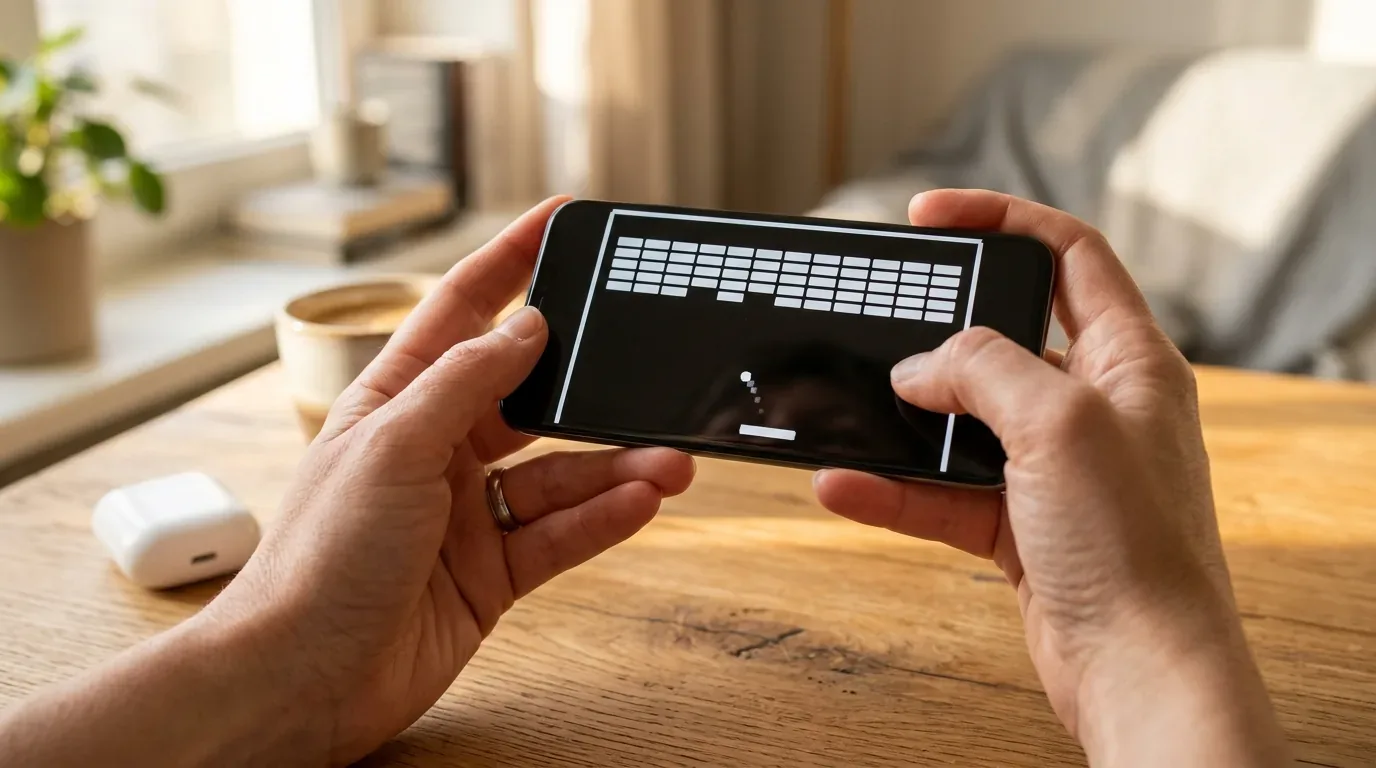
The game physics mirror the original release. The ball bounces off the paddle at varying angles based on where it strikes, and the paddle moves faster as you spin the wheel with more urgency. If you lose all your balls, the game smoothly reloads back to the About menu.
Feature Comparison Table
Here is how the virtual 404 web player compares to the original physical iPod from 2001 and modern music streaming across the United States, the United Kingdom, and Europe.
| Feature and Specification | Virtual 404 Web Player (2026) | Original Physical iPod (2001) | Modern Apple Music App (2026) |
|---|---|---|---|
| Hardware Cost | Free (No subscription needed) | $399 in 2001 (£349 / €389 historical) | $10.99 / £10.99 / €10.99 per month |
| Song Catalog Size | 1,029 curated preview tracks | 1,000 songs (5GB mechanical drive) | Over 100 million full songs |
| Display Screen | Monochrome green LCD digital simulation | 2-inch 160x128 pixel monochrome LCD | Retina OLED / HDR full color touchscreen |
| Navigation Method | Virtual drag and touch scroll wheel | Physical moving mechanical scroll wheel | Touch gestures and Siri voice control |
| Mechanical Sound Effects | Real-time Web Audio API click synthesis | Internal piezoelectric speaker clicker | Haptic tap feedback on iPhone |
| Hidden Arcade Games | Fully playable Brick (Breakout clone) | Hidden Brick game in firmware | None (Separate Apple Arcade games) |
| Audio Quality Format | 256 kbps AAC web previews | 160 kbps MP3 files from CD rips | 24-bit 192 kHz Hi-Res Lossless and Spatial Audio |
| Device Compatibility | Any modern web browser (Mac, PC, iOS, Android) | Apple Mac computers only (FireWire 400 port) | iOS, iPadOS, macOS, Windows, Android, Web |
Why Apple Chose an Error Page for Its Greatest Tribute
In web design, a 404 error page is usually a throwaway detail. Most websites show a sterile warning or a simple search box. But the web has a long history of creative developers hiding playful surprises where visitors least expect them.
By putting the 2001 iPod on the 404 page, Apple turned moments of user frustration into moments of nostalgia. When you click an outdated link, you are not punished with an ugly roadblock. Instead, you are invited to pause, smile, and play a quick game of Brick while listening to songs from your childhood.
The cultural reaction across social media and tech forums in the US, UK, and Europe was immediate. Web developers praised the lightweight code, while longtime music fans shared screenshots of high scores in Brick. It served as a gentle reminder of an era when gadgets did one thing exceptionally well without notification badges or social media algorithms demanding your attention.
If you want to experience your favorite music tracks with pristine acoustic clarity and deep bass, check out our tested recommendations for the best noise cancelling earbuds as well as our guide to the best affordable wireless earbuds under 100 dollars. If you want to make sure your home wireless network delivers smooth streaming without buffering hiccups, read our deep dive on wifi 7 versus wifi 6e for real world homes and our troubleshooting guide on how to fix common mesh wifi problems.
Frequently Asked Questions
Is the Apple Music 404 iPod completely free to use?
Yes. You do not need an Apple Account, and you do not need a paid Apple Music subscription. Anyone can visit music.apple.com/404 on any web browser and immediately start spinning the wheel, browsing playlists, and listening to audio previews for free.
How do I unlock the secret Brick game on the 404 iPod?
Spin the scroll wheel to Settings, press the center button, scroll down to About, and press and hold down the center button for five seconds. The screen will flash and load the classic Brick game, which you control using the scroll wheel.
Can I play full length songs on the virtual iPod?
No. The virtual 404 player streams thirty to ninety second audio previews of each track. This keeps the web page fast and responsive while honoring music licensing rules for free public web content.
Does the virtual scroll wheel work on smartphones and touchscreens?
Yes. On an iPhone, iPad, or Android phone, you can touch the white wheel and trace your finger in a circular motion. The virtual wheel detects touch angles smoothly and provides real-time mechanical clicking sounds through your phone speaker.
Why are there 1,029 songs in the virtual player instead of 1,000?
The number 1,029 honors the original 1,000 songs in your pocket promise from the 2001 launch, combined with twenty nine iconic milestone songs added by Apple curators to represent the twenty five years of music history between 2001 and 2026.


Loading comments…