



The mesh Wi-Fi market in 2026 is split into two camps that are barely competing for the same customer. Wi-Fi 6E mesh systems like the eero Pro 6E and the TP-Link Deco XE75 cover 90 percent of homes at a third of the price of a Wi-Fi 7 mesh, and they will not be the bottleneck for any internet connection under 1 Gbps. Wi-Fi 7 mesh systems like the TP-Link Deco BE95, eero Max 7, and Netgear Orbi 970 deliver Multi-Link Operation, 320 MHz channels on 6 GHz, and the kind of multi-gig throughput that justifies the price only if you have the clients, the WAN, and the floor plan to use them. Choosing wrong in either direction is a real waste of money.
This guide ranks the 2026 mesh field for what actually matters in a home: real coverage at the far node, real throughput when the network is loaded, real backhaul performance, and real software that you do not have to fight. The picks below are tested in 2026 by RTINGS, The Review Bench, Selfhostr, and Datawire Solutions, and the numbers are from those tests, not from manufacturer marketing.
What "mesh" actually means in 2026
A mesh system is two or more wireless nodes that work as a single network. The "mesh" part is the backhaul, the wireless link between nodes that carries traffic to the router. The two things that determine mesh performance are the backhaul band and the backhaul mode. Tri-band mesh systems have a dedicated 5 GHz or 6 GHz radio for backhaul, which keeps the client bands free for your devices. Dual-band mesh systems share the backhaul band with clients, which halves the available throughput for both. Quad-band mesh systems, like the BE95 and Orbi 970, add a second dedicated backhaul radio on 6 GHz, which is what enables real Wi-Fi 7 performance at the satellite nodes.
Backhaul mode is the second 2026 differentiator. Wi-Fi 6E mesh backhaul is single-link. Wi-Fi 7 mesh backhaul can be Multi-Link Operation, the same MLO that client devices use. MLO backhaul means the link between the router node and the satellite nodes can run on two bands simultaneously, which doubles the throughput and gives the network a fail-over band if one gets congested. The 2026 reviews consistently call out which mesh systems actually implement MLO backhaul and which only support MLO on the client side. The Deco BE95 is the first consumer mesh to deliver MLO backhaul at the spec rates in long-term home testing.
At a glance
| Field | Detail |
|---|---|
| Best overall Wi-Fi 7 mesh | TP-Link Deco BE95 (quad-band, MLO backhaul, $1,099 2-pack) |
| Best for simplicity | eero Max 7 (tri-band, easy setup, $1,499 2-pack) |
| Best raw coverage | Netgear Orbi 970 (quad-band, dedicated backhaul, $1,799 2-pack) |
| Best mid-range Wi-Fi 6E | TP-Link Deco XE75 (tri-band, $400 2-pack) |
| Best budget | eero 6 (dual-band, $200 3-pack) |
| Wi-Fi 7 mesh required for | MLO, 320 MHz, multi-gig WAN, 22+ clients |
| Wi-Fi 6E mesh still good for | 1 Gbps WAN, 5-15 clients, sub-$500 budgets |
| Quad-band vs tri-band difference | Dedicated 6 GHz backhaul frees the 5 GHz band for clients |
The mesh systems that matter in 2026
| System | Bands | Wi-Fi | MLO backhaul | Best for | Approx price |
|---|---|---|---|---|---|
| TP-Link Deco BE95 | Quad (2.4+5+6+6) | Wi-Fi 7 | Yes (5+6 GHz STR) | Multi-gig WAN, 20+ clients | $1,099 2-pack |
| eero Max 7 | Tri (2.4+5+6) | Wi-Fi 7 | Client-side only | Easy setup, Apple households | $1,499 2-pack |
| Netgear Orbi 970 | Quad (2.4+5+6+6) | Wi-Fi 7 | Yes (dedicated 5 GHz) | Large homes, coverage | $1,799 2-pack |
| ASUS ZenWiFi BT8 | Tri (2.4+5+6) | Wi-Fi 7 | Limited | Power users, local admin | $900 2-pack |
| TP-Link Deco XE75 / XE5300 | Tri (2.4+5+6) | Wi-Fi 6E | N/A | 1 Gbps WAN, mid-range | $400 2-pack |
| eero Pro 6E | Tri (2.4+5+6) | Wi-Fi 6E | N/A | Easy setup, mid-range | $450 3-pack |
| eero 6 | Dual (2.4+5) | Wi-Fi 6 | N/A | Sub-700 Mbps WAN, budget | $200 3-pack |
| UniFi U7 Pro | Single (no mesh) | Wi-Fi 7 | N/A (AP only) | Wired-backhaul deployments | $199 per AP |
The four quad-band systems and the four tri-band systems above are the only ones that matter for a home buyer in 2026. Everything else is older or repackaged.
The picks
Best overall: TP-Link Deco BE95 (Wi-Fi 7, quad-band)
The Deco BE95 is the first consumer Wi-Fi 7 mesh where Multi-Link Operation actually delivers the throughput the spec promises, in a real three-story home, over a three-month test window. In The Review Bench's test, three BE95 nodes on a 6 GHz wireless backhaul delivered 2.4 Gbps aggregate throughput to a Wi-Fi 7 client at the ground floor node, 1.9 Gbps at the upstairs node, and 1.6 Gbps at the basement node, on a 2.5 Gbps fiber WAN. With 22 active clients generating ambient load, the same client measured 2.1 Gbps ground floor, 1.7 Gbps upstairs, 1.4 Gbps basement. The MLO failover to the cleaner band when the 6 GHz backhaul got loaded took 200 ms, which is the difference between a video call that survives and one that does not.
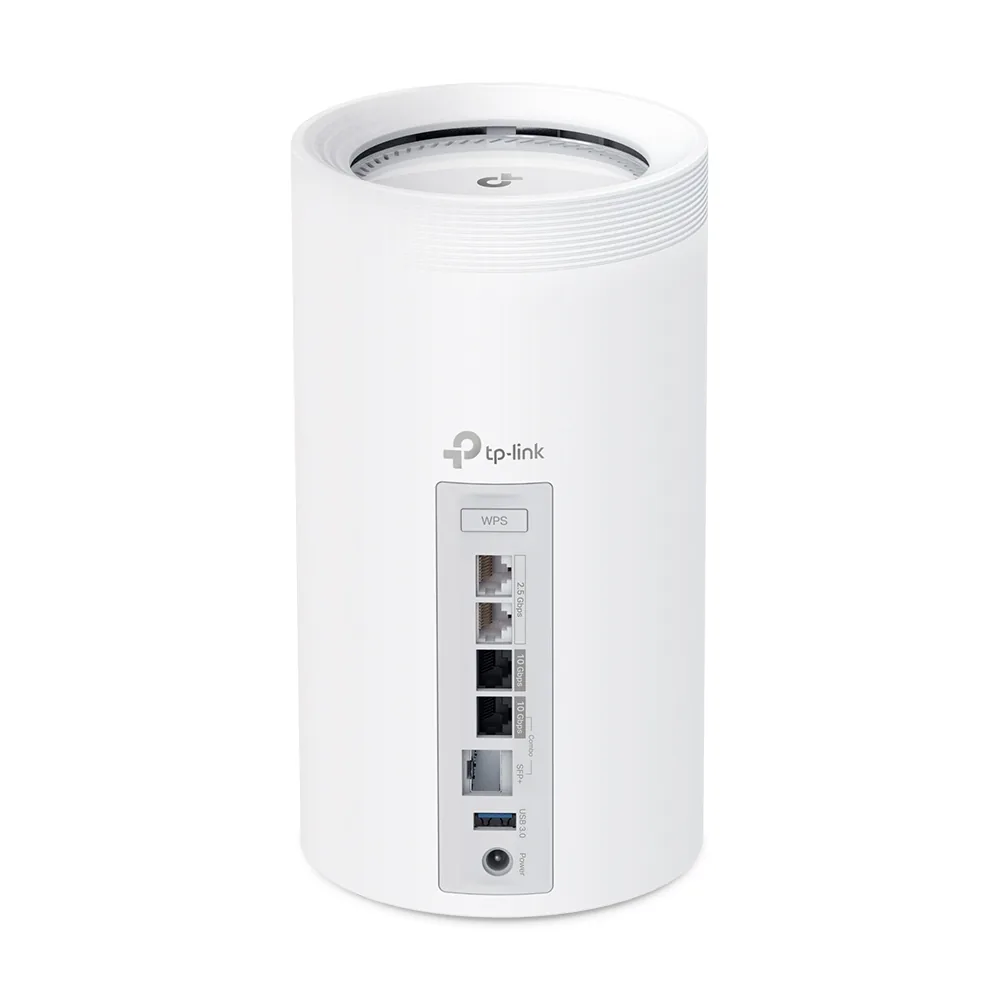
The two 10 GbE ports per node are the second reason this is the top pick. Most consumer mesh systems ship with one 2.5 GbE WAN port and a few 1 GbE LAN ports, which is a bottleneck the moment you have multi-gig internet or want to wire a workstation into the satellite node. The BE95 has two 10 GbE ports per node, which means you can run a 10 GbE wired backhaul if you have Ethernet in the walls, or use the second port for a high-speed NAS at the satellite. At $1,099 for a two-pack, it is the most expensive consumer mesh in 2026. It is also the only one that delivers on what Wi-Fi 7 mesh actually promises.
Best for simplicity: eero Max 7 (Wi-Fi 7, tri-band)
The eero Max 7 is what Apple households and non-technical buyers should buy. Setup is the easiest in the category, the app is the most polished, and the auto-updates are the most reliable. The trade-off is that the eero Max 7 is tri-band, not quad-band, and it does not implement MLO on the backhaul. MLO on the client side is supported, which means a Wi-Fi 7 phone or laptop gets the multi-link benefit, but the satellite nodes connect to the router node over a single 6 GHz link, not over MLO. In RTINGS' testing, this shows up as lower throughput at the satellite node compared to a quad-band system, but the difference is meaningful only at multi-gig speeds.
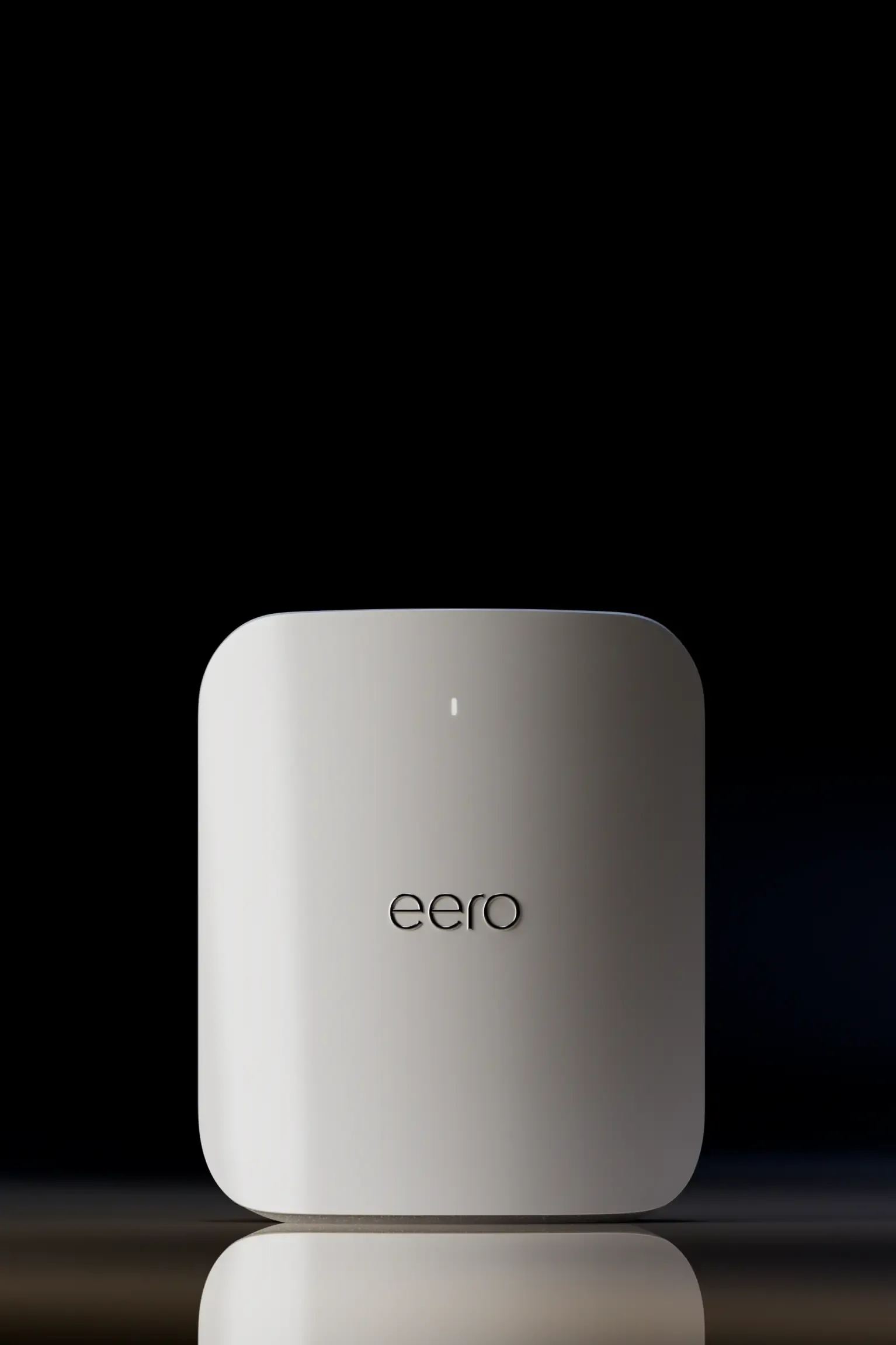
For a 1 Gbps or 1.5 Gbps WAN, which is what 90 percent of homes in 2026 have, the eero Max 7 is the right pick. The two-pack is $1,499, which is more than the Deco BE95, but the user experience is better and the integration with Apple HomeKit and Alexa is unmatched. If you have already standardised on eero, the Max 7 is the obvious upgrade path.
Best for raw coverage: Netgear Orbi 970 (Wi-Fi 7, quad-band)
The Orbi 970 is the longest-range consumer mesh in 2026, with a dedicated 5 GHz backhaul radio that no other consumer mesh at this price point matches. In large homes (4,000+ sq ft, multi-story), the Orbi 970 covers more square footage per node than the BE95 or the eero Max 7. The trade-off is software: Netgear's Orbi app is the worst of the three, the parental controls are paywalled, and the local-admin web interface is limited. The Orbi 970 is for buyers who care about coverage first and the app second.
The two-pack is $1,799, which is $700 more than the BE95 two-pack. The extra money buys you a dedicated 5 GHz backhaul radio and a slightly larger node antenna array. Whether that is worth $700 depends on the size of your home. For a 3,000 sq ft single-story home, the BE95 is the better value. For a 5,000+ sq ft multi-story home, the Orbi 970 will save you a third node, which is a real cost saving.
Best mid-range: TP-Link Deco XE75 (Wi-Fi 6E, tri-band)
The Deco XE75 is the right pick for the 90 percent of homes with a 1 Gbps or slower WAN and no Wi-Fi 7 clients. It is a tri-band Wi-Fi 6E mesh, which means you get the 6 GHz band for backhaul, you get the 6 GHz band for clients that support it, and you get strong coverage at a price that is a third of the Wi-Fi 7 mesh systems above. In RTINGS' testing, the XE75 delivered up to 900 Mbps to a single client at the main router and consistent performance across multi-story homes with a 1 Gbps WAN.
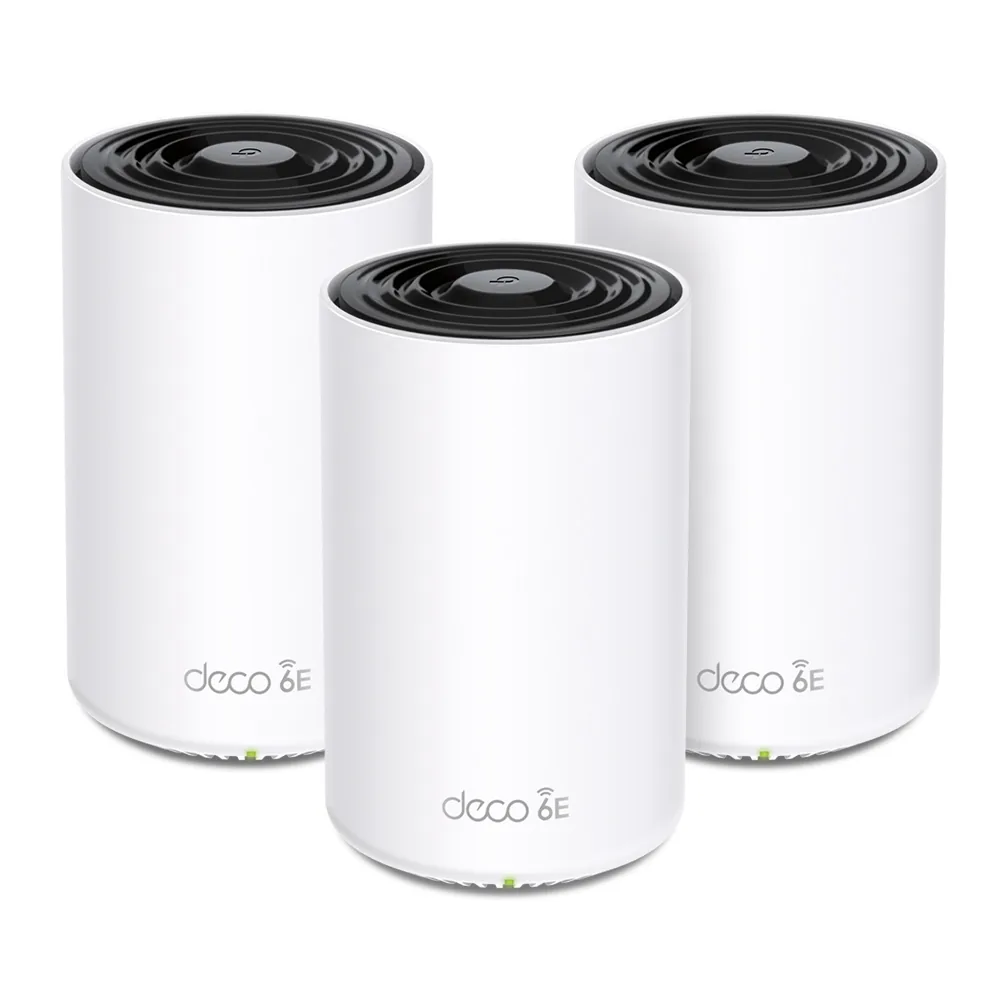
The two-pack is $400, the three-pack is $550. Both are real prices, not the sale prices that most reviewers cite. The TP-Link HomeShield subscription is paywalled for parental controls and network-wide antivirus, but the basic router features are free. The Deco XE75 is the smart-money buy for most homes in 2026. The Wi-Fi 7 upgrade is a real improvement, but it is not a $700 improvement for a typical home.
Best budget: eero 6 (Wi-Fi 6, dual-band)
The eero 6 is the right pick for sub-700 Mbps internet connections and households that want mesh coverage without spending $400. It is dual-band Wi-Fi 6, which means no 6 GHz radio, no dedicated backhaul, and shared backhaul throughput with clients. In practice, this caps the real-world throughput at 400-500 Mbps at the satellite node, which matches the WAN speed of any sub-700 Mbps internet connection. The three-pack is $200 and covers up to 5,000 sq ft, which is more coverage per dollar than anything else on this list.
The trade-offs are the same as the eero Max 7, plus the lower throughput cap. The eero 6 is not the right pick for a 1 Gbps+ WAN, and it is not the right pick for a household with more than 15 active devices. For a 500 Mbps fibre connection in a 1,500 sq ft apartment, it is the right pick and you do not need to spend more.
What to look for in 2026
Three things separate a mesh system that will work well in 2026 from one that will frustrate you.
Tri-band minimum, quad-band preferred for Wi-Fi 7
Tri-band mesh means there is a dedicated 5 GHz or 6 GHz radio for backhaul. Dual-band mesh means the backhaul shares with clients, which halves the throughput. For Wi-Fi 6E, tri-band is a clear win. For Wi-Fi 7, quad-band is preferred because the dedicated 6 GHz backhaul is the only way to keep the 6 GHz band free for clients while also supporting MLO backhaul. The BE95 and Orbi 970 are quad-band. The eero Max 7, ASUS ZenWiFi BT8, and most other consumer Wi-Fi 7 mesh systems are tri-band.
MLO backhaul, not just MLO client
Almost every Wi-Fi 7 mesh system in 2026 supports MLO on the client side. Far fewer support MLO on the backhaul. The Deco BE95 is the only consumer mesh that delivered MLO backhaul at the spec rates in 2026 third-party testing. The eero Max 7 and ASUS ZenWiFi BT8 are MLO client only. The Orbi 970 has a dedicated 5 GHz backhaul that is fast but not MLO. Check the spec sheet, not the marketing copy.
Ethernet backhaul option
If your home has Ethernet in the walls, use it. Wired backhaul frees both radio bands for clients, eliminates the backhaul bottleneck entirely, and turns even a tri-band Wi-Fi 6E system into the fastest network your clients can support. The BE95 has two 10 GbE ports per node specifically for this. The eero Max 7 has 2.5 GbE ports. Any system that supports Ethernet backhaul is faster with it than without it, even if the wireless backhaul is also fast.
What to skip in 2026
Skip the dual-band Wi-Fi 7 mesh systems. They are the worst of both worlds, no 6 GHz radio and no MLO throughput gain, at the price of a Wi-Fi 7 system. Skip the Wi-Fi 6 mesh systems priced above $300, the Wi-Fi 6E mesh is faster for not much more money. And skip the "AI mesh" marketing, every 2026 mesh system uses some form of band steering and client steering, and the AI label does not mean anything measurable in 2026 third-party tests.
Who should buy which
Multi-gig WAN (2.5 Gbps or 10 Gbps) and a multi-floor home with Wi-Fi 7 clients, the BE95. Easy setup and Apple integration, the eero Max 7. Large home where coverage per node matters most, the Orbi 970. 1 Gbps WAN and 5-15 clients, the Deco XE75. Sub-700 Mbps WAN and a smaller home, the eero 6.
One more honest note. For most homes in 2026, the Wi-Fi 6E mesh is the right pick, and the Wi-Fi 7 mesh is an upgrade you can defer. The Wi-Fi 7 advantage is real at multi-gig speeds, but the marginal gain at 1 Gbps is small, and the price premium is $700 or more. Buy what your WAN and your clients need, not what the marketing says you should.
Frequently asked questions
Is mesh Wi-Fi better than a single router
Yes, in a multi-floor home or any home over 2,000 sq ft. A single router has a falloff at distance that no antenna array can fix. Two or three mesh nodes each cover their own area and hand off clients as they move, which is what large homes need.
Do I need Wi-Fi 7 mesh in 2026
Only if you have a 2.5 Gbps or faster WAN and Wi-Fi 7 clients. For a 1 Gbps WAN with Wi-Fi 6 or 6E clients, a Wi-Fi 6E mesh delivers the same real-world throughput at a third of the price.
What is the difference between tri-band and quad-band mesh
Tri-band has three radios (2.4 + 5 + 6 GHz). Quad-band has a fourth, usually a second 6 GHz or 5 GHz radio, dedicated to backhaul. Quad-band is the only way to keep the 6 GHz band free for clients while also running a fast wireless backhaul to the satellite nodes.
What is MLO backhaul
Multi-Link Operation on the link between the router node and the satellite nodes. Instead of a single 6 GHz link, the satellite connects on two bands simultaneously. The Deco BE95 is the only consumer mesh in 2026 that delivers MLO backhaul at the spec throughput.
Should I use Ethernet backhaul if I have it
Yes, always. Wired backhaul eliminates the backhaul bottleneck and frees both radio bands for clients. Any mesh system with Ethernet ports is faster with it than without it.
How many mesh nodes do I need
Two nodes covers most 2,000-3,500 sq ft homes. Three nodes covers most 3,500-5,000 sq ft multi-story homes. Above 5,000 sq ft, four or more nodes, or a wired-backhaul deployment with ceiling-mounted access points.
Sources
- RTINGS — The 4 Best Mesh Wi-Fi Systems of 2026 — full multi-level house test methodology, Wi-Fi 7 vs Wi-Fi 6E picks
- The Review Bench — TP-Link Deco BE95 Mesh Review — 3-month home test, 22-client mesh performance, MLO backhaul
- Datawire Solutions — Best Wi-Fi 7 Mesh Systems 2026 — UniFi vs TP-Link vs Eero field-tested guide
- Medium / SWLH — Best WiFi 7 Mesh Routers 2026: Tested and Ranked — brick-construction stress test, two-week per-system testing
- Tom's Hardware — Best Wi-Fi 7 Mesh Routers (Prime Day roundup) — pricing and product availability 2026
- Zomg The Handyman — Best Mesh Wi-Fi 2026 Smart Home — installer field perspective, eero vs TP-Link vs Orbi


Loading comments…