



MacBook Pro M5 vs M4 Pro for creators, at a glance
Apple's 2026 MacBook Pro lineup creates a real choice for content creators: the new M5 at $1,599, or the previous-generation M4 Pro at $1,999. The M5 wins on price, battery life, and storage speed; the M4 Pro wins on raw multi-core performance and RAM headroom. The choice depends on whether your workflow is bottlenecked by single-threaded speed (M5) or by multi-core parallelism (M4 Pro).[1][2]
| Spec | MacBook Pro 14" M5 | MacBook Pro 14" M4 Pro |
|---|---|---|
| CPU cores | 10 (4P + 6E) | 12 (8P + 4E) or 14 (10P + 4E) |
| GPU cores | 10 | 16 or 20 |
| Neural Engine | 16-core | 16-core |
| Memory | 16 GB unified, expandable to 32 GB | 24 GB unified, expandable to 48 GB |
| Storage | 512 GB to 4 TB | 512 GB to 4 TB |
| Display | 14.2-inch Liquid Retina XDR, 3024×1964, ProMotion 120 Hz | Same |
| Battery | 72.4 Wh | 72.4 Wh |
| USB-C charging | 70 W | 96 W |
| Price (entry) | $1,599 | $1,999 |
Why this comparison is harder than it looks
Apple's official marketing frames the M5 MacBook Pro as a "brand new silicon at a price tag $400 cheaper than the M4 Pro model. On paper, that sounds like an absolute steal."[1] The hands-on reviewers at Versus.com frame the same chip differently: "honestly, it might be one of those too good to be true situations."[1] Both framings are correct. The M5 is a faster chip than the M4 in single-threaded work and a slower chip than the M4 Pro in multi-threaded work. The question is which dimension your workflow hits harder.
For a content creator, the answer depends on what you actually do. A photographer running Lightroom benefits from the M5's faster single-core speed and faster SSD. A video editor running multi-cam Premiere Pro timelines benefits from the M4 Pro's extra cores. A 3D artist benefits from the M4 Pro's extra GPU cores. A writer running Pages benefits from either — the bottleneck is the keyboard, not the chip.
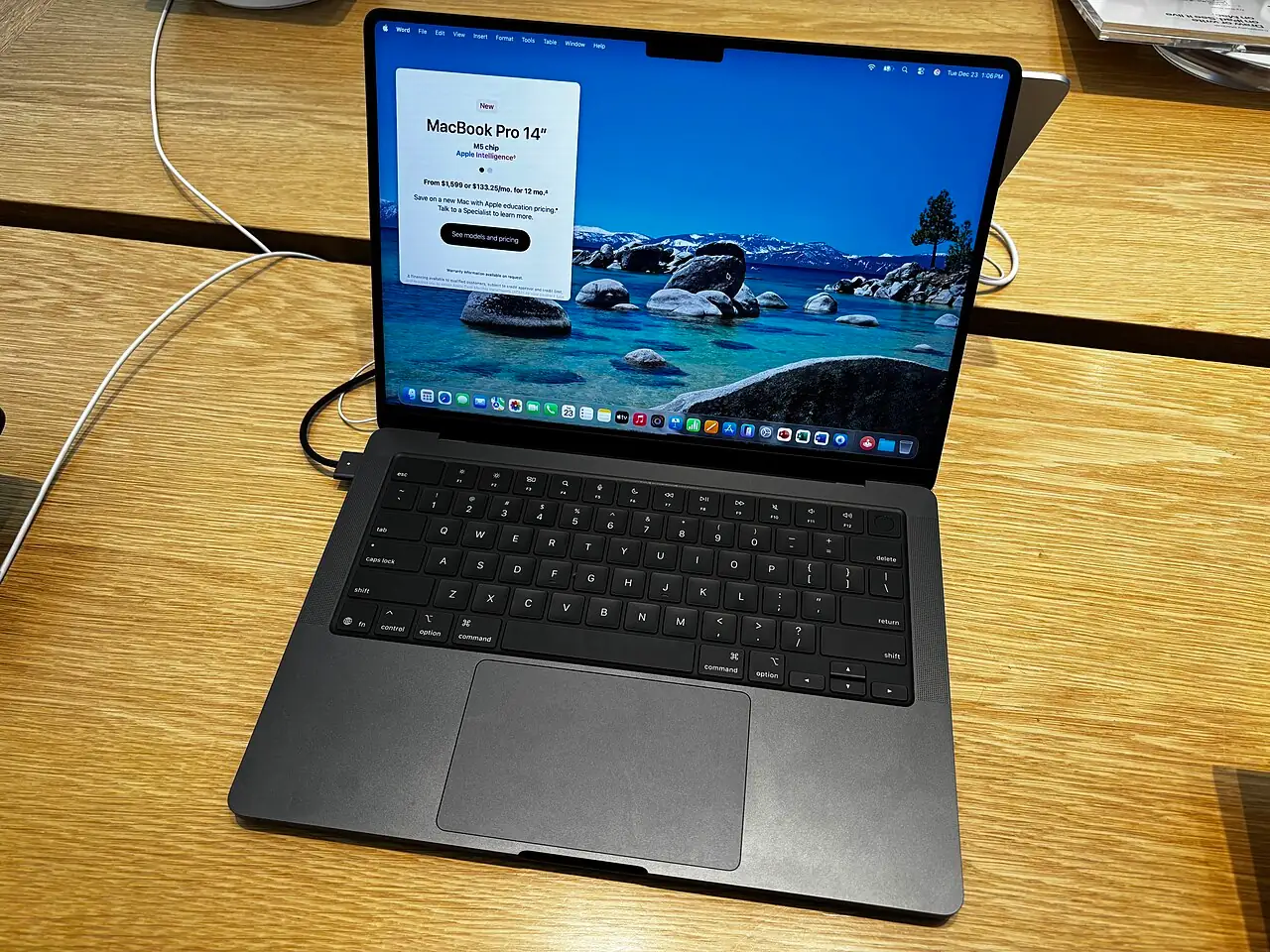
Performance, by workflow
The benchmarks that matter for content creators fall into three categories: single-threaded desktop apps (Lightroom, Photoshop, Audition), multi-threaded video-encoding workloads (Premiere Pro, DaVinci Resolve, Final Cut Pro), and storage throughput (importing large RAW files, scrubbing 4K timelines).
Single-threaded: Lightroom, Photoshop, Audition
The M5's headline single-threaded improvement is the most relevant for desktop creative apps. In Geekbench 6, the M5 scores 15 to 20 percent higher in single-core than the M4 Pro.[1] In Lightroom specifically, the M5 exported 99 photos in 60 seconds versus the M4 Pro's 55 seconds — the M4 Pro still wins on this multi-file workflow, but the gap is small.[1] Photoshop actions and filters, which are predominantly single-threaded, run faster on the M5.
For a photographer whose workflow is single-thread Lightroom and Photoshop on a few hundred photos at a time, the M5 is the right pick. The M4 Pro's extra cores help when batch-processing thousands of photos or running parallel jobs.
Multi-threaded: Premiere Pro, DaVinci Resolve
The M4 Pro's extra cores pay off in video encoding. In a 10-minute 4K export test in Adobe Premiere Pro, the M4 Pro finished more than 5 minutes faster than the M5. In DaVinci Resolve, the M5 actually took the lead by 33 seconds — the GPU and the export pipeline handle different bottlenecks in the two apps.[1]
For a video editor whose bottleneck is Premiere Pro export time, the M4 Pro is the right pick. For a DaVinci Resolve user, the M5 is closer than the Adobe benchmarks suggest. The Cinebench 3D rendering benchmark shows the M4 Pro ahead by a large margin, which matters for 3D and motion graphics work.[1]
Storage: SSD throughput
The M5's SSD is faster than the M4 Pro's in real-world testing. Versus.com's read/write test showed the M5 "significantly faster than the M4 Pro, but the overall speeds were also super balanced."[1] For workflows that import or export large files (RAW photo sessions, 4K video rushes, large project archives), the M5's SSD is a meaningful upgrade. For workflows that keep the project on the SSD and never move large files, the SSD speed is irrelevant.
Battery life: the M5's clearest win
In a YouTube-streaming battery test (balanced mode, brightness at a fixed level, multiple Chrome tabs, a YouTube live stream, and other tasks), the M5 outlasted the M4 Pro by 35 minutes — 5 hours 7 minutes versus 4 hours 32 minutes.[1] This is a 13 percent battery advantage in the same chassis with the same 72.4 Wh battery.
The reason is efficiency: the M5 has more efficiency cores (6E vs 4E on the M4 Pro's entry config), and the M5's SSD and Neural Engine draw less power. For a creator who works on location — videographer, journalist, photographer on assignment — the M5's extra 35 minutes of battery is a real differentiator.
Lightroom is a near-tie; Premiere Pro is the M4 Pro's largest win; DaVinci Resolve swings back toward the M5 thanks to GPU and export-pipeline differences.[1]
Display, audio, ports: identical
Both the M5 and M4 Pro 14-inch models use the same 14.2-inch Liquid Retina XDR display at 3024×1964 with ProMotion 120 Hz, the same 1,000-nit sustained / 1,600-nit peak HDR brightness, and the same P3 wide color gamut.[1] Both support up to two 6K external displays at 60 Hz for a three-display workflow. The display is not a differentiator.
Audio is identical: both have the same six-speaker sound system with force-cancelling woofers and the same studio-quality three-microphone array. The 3.5 mm headphone jack is the same on both.
Ports differ slightly. Both have three Thunderbolt 4 ports, HDMI 2.1, SDXC card slot, and MagSafe 3. The M4 Pro supports USB-C charging at up to 96 W; the M5 supports it at up to 70 W.[1] In practice, the difference matters only if you want fast-charge on a third-party USB-C PD brick; Apple's included MagSafe cable and brick charge at the same rate on both.
Who the M4 Pro is for
The M4 Pro is the right pick if your workflow is multi-threaded or memory-intensive and you can articulate why. Examples:
- Premiere Pro or Final Cut Pro editor with multi-cam timelines that span several hours
- 3D modeler using Blender, Cinema 4D, or Houdini with GPU-rendered previews
- Software developer running several VMs or containers locally
- Composer with 100+ tracks in a DAW
- Colorist working in DaVinci Resolve on log footage that needs the extra RAM for node-heavy grades
The 24 GB unified memory on the entry M4 Pro is the quiet differentiator. For workflows that hold 4K timelines in RAM rather than on SSD, 24 GB is meaningfully more headroom than 16 GB on the entry M5.
Who the M5 is for
The M5 is the right pick if your workflow is predominantly single-threaded or your bottleneck is elsewhere. Examples:
- Photographer running Lightroom and Photoshop on a few hundred photos at a time
- Podcaster or audio engineer with ProTools sessions under 32 tracks
- Writer or journalist working in word processors, email, and a web browser
- Vlogger editing 4K single-cam footage in Final Cut Pro or CapCut
- Developer running a single IDE + browser + a few terminals
The M5's $400 lower price and 35-minute extra battery are the headline differences. For these workflows, the M5 is the better machine.
The 14-inch vs 16-inch question
Apple sells the same M5 and M4 Pro chips in both 14-inch and 16-inch chassis. The 16-inch has a larger 100 Wh battery (vs 72.4 Wh on the 14-inch) and better sustained performance because the larger chassis has more thermal headroom for the fans to spin up. For a creator who pushes the chip for hours of export time, the 16-inch is the better tool.[2]
The downside is weight: the 16-inch is 4.7 pounds versus the 14-inch at 3.4 pounds, and the chassis is meaningfully larger. For a creator who carries the laptop daily, the 14-inch is the right pick. For a creator who works at a desk with the laptop plugged in, the 16-inch is the right pick.
Frequently asked questions
Is the M5 MacBook Pro good enough for video editing?
For single-cam 4K editing in Final Cut Pro, yes. For multi-cam 4K or 6K editing in Premiere Pro, the M4 Pro is meaningfully faster. For DaVinci Resolve, the M5 holds its own thanks to the GPU and the optimized export pipeline.[1]
Is the M4 Pro still worth it in 2026?
For multi-threaded creative workflows, yes — the M4 Pro's extra cores and 24 GB entry RAM are not matched by the M5 at the same price point. For single-threaded workflows, the M5 is a better value.
Should I upgrade from an M1 or M2 Pro?
If your current machine struggles on the workflows that matter most, yes. The M5 and M4 Pro both represent meaningful gains over M1 generation hardware. If your current machine is fine, the upgrade is not urgent.
Does the M5 run cooler than the M4 Pro?
In thermal-camera testing, the M5 stays cooler (98°F surface temperature under sustained load) than the M4 Pro (slightly hotter), which is consistent with the M5's higher efficiency-core ratio. Both are quieter than the M1 generation.[1]
Is 16 GB of memory enough for creators?
For Lightroom, Photoshop, and Final Cut Pro on single-stream timelines, yes. For multi-cam Premiere Pro with several 4K streams and effects applied, 16 GB will see swap. For 3D rendering or running a local LLM, 32 GB is the floor.
The bottom line
For most content creators in 2026 — photographers, podcasters, writers, single-cam video editors, developers — the MacBook Pro 14-inch with M5 is the right pick at $1,599. The M4 Pro at $1,999 is the right pick only if you specifically need the extra cores or the 24 GB of RAM for multi-threaded work. The 16-inch M4 Pro is the right pick if you push the chip for hours of sustained export time and the larger battery matters. None of the three are the wrong pick; the difference is which one matches your specific bottleneck.
Video: hands-on M5 vs M4 Pro comparison with measured battery life, real-world render times, and thermal data. Source: YouTube.
Sources and further reading
- Versus.com — "MacBook Pro M5 vs M4 Pro: Which One Should You Buy?" (2026-02-27). https://www.youtube.com/watch?v=2p9Sco0VUMY
- "I Spent $5,000 On an M5 Max MacBook Pro… Here's The Truth!" — long-form creator workflow review (2026). https://www.youtube.com/watch?v=MUEZOo8vbsM
- Apple Newsroom — MacBook Pro M5 announcement (October 2025). https://www.apple.com/newsroom/
- Apple Support — MacBook Pro M5 tech specs. https://support.apple.com/specs
- Geekbench — MacBook Pro M5 and M4 Pro benchmark results. https://browser.geekbench.com/mac-benchmarks/



Loading comments…